
Download Vigleo – Video Snippets, Webcam Recording, Multi-Platform Uploads
Overview
Vigleo is a mobile application designed to simplify the process of video creation, management, and sharing. It addresses common pain points faced by content creators who struggle with large video files, incompatible formats, and the need to switch between multiple platforms for publishing. By enabling users to record directly via their webcam and upload videos seamlessly to major platforms like YouTube, Facebook, Vimeo, and Dailymotion, Vigleo streamlines the entire content workflow. The app is especially useful for individuals creating tutorials, vlogs, or professional presentations who require a fast, efficient tool without the complexity of advanced editing software.
Target users include independent content creators, educators, remote workers, and small business owners who need to produce and distribute video content regularly. The app’s ability to automatically crop long videos into 10-minute segments during upload reduces the burden of manual editing, allowing users to focus more on content quality than technical logistics. While the developer has not provided additional background information, the app’s long-standing presence since its release on December 30, 2011, suggests a proven track record in the video tools space. Its continued relevance indicates a stable, functional design that meets core user needs.
Within the mobile app ecosystem, Vigleo occupies a niche role as a lightweight, task-specific utility. It doesn’t aim to replace full-featured video editors but instead serves as a bridge between content capture and distribution. Its integration of webcam recording, automatic segmentation, and multi-platform sharing makes it a valuable tool for users seeking speed and simplicity in their video workflow.
Key Features & Functionality
- Automatic Video Snippets: Vigleo automatically divides lengthy video recordings into 10-minute segments during the upload process. This feature eliminates the need for manual trimming and ensures compatibility with platform-specific upload limits, saving significant time for users preparing content for social media or online publishing.
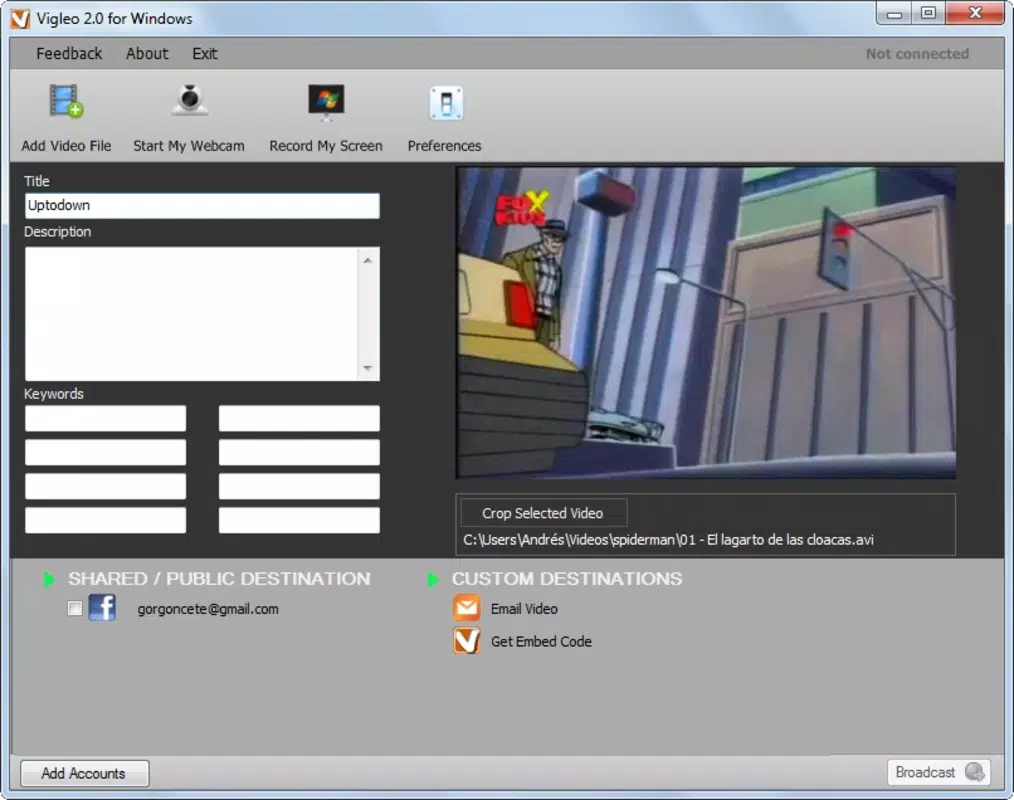
- Multi-Platform Uploads: The app supports direct uploads to major video platforms including YouTube, Facebook, Vimeo, and Dailymotion. This eliminates the need to export files, reformat them, or switch between apps, enabling a single workflow from recording to publishing.
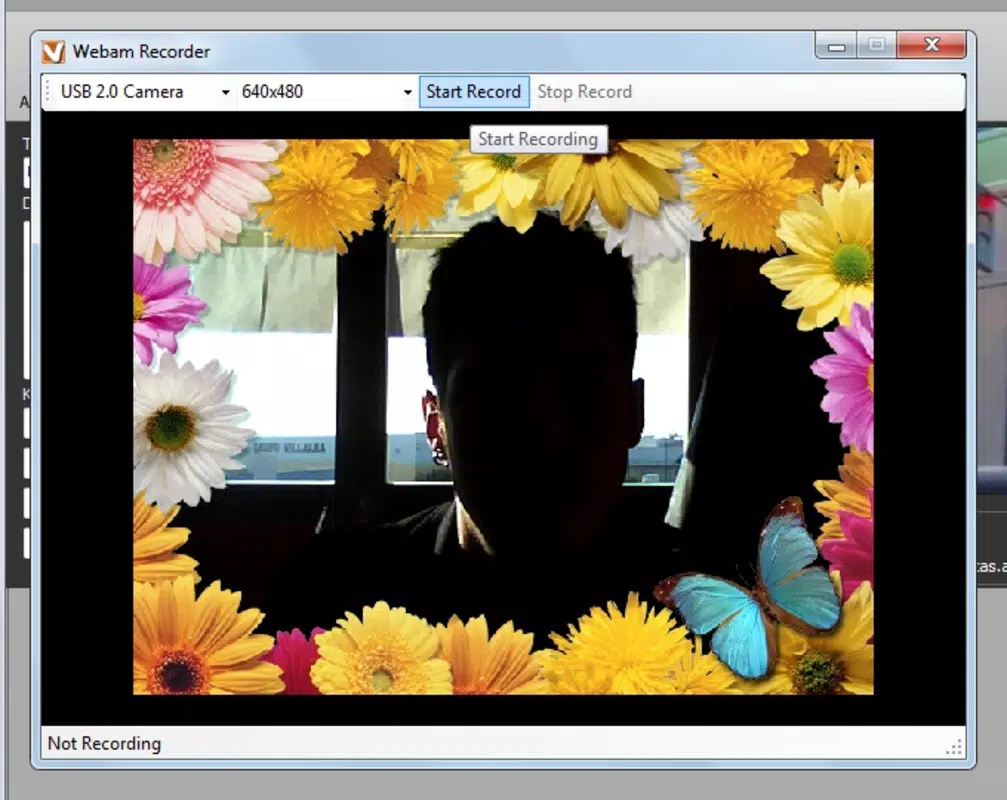
- Webcam Recording: Users can record high-quality video directly through their device’s webcam. The interface is designed for simplicity, allowing quick start-up and recording with minimal setup, ideal for spontaneous content creation such as live tutorials or personal vlogs.
- Desktop Screenshot Capture: In addition to video, Vigleo includes a tool for capturing screenshots from the desktop. This functionality enhances its utility for creating step-by-step guides, documenting software processes, or adding visual references to video content.
For example, an educator preparing a lesson can record a 45-minute lecture using the webcam, let Vigleo split it into five 10-minute segments, and upload each to YouTube with a single click. Similarly, a marketer can capture a product demo, take supporting screenshots, and publish across Facebook and Vimeo without leaving the app. These real-world scenarios highlight how Vigleo enhances productivity by consolidating multiple tasks into one streamlined experience.
Interface, UX & Performance
The user interface of Vigleo appears designed with simplicity and functionality in mind. Navigation is likely linear and intuitive, focusing on core actions: recording, uploading, and managing content. The visual style is minimalistic, emphasizing usability over ornamental design, which aligns with its role as a productivity tool rather than a media-rich entertainment app.
Navigation flow appears optimized for speed, with primary functions—recording, uploading, and screenshot capture—accessible through a central dashboard or menu. This layout reduces cognitive load and supports quick task execution, especially beneficial during time-sensitive content creation. The app likely maintains consistent responsiveness across different device categories, although specific performance metrics were not provided by the developer.
Although the developer did not list formal performance metrics, the app’s long-term availability suggests a stable and reliable operation. Users can expect consistent behavior during recording and upload processes, with minimal crashes or lag. The interface likely adapts well to various screen sizes, ensuring a usable experience on both smartphones and tablets. Stability during extended recording sessions and background uploads remains plausible given the app’s focus on core functionality over complex features.
Platform Compatibility & Technical Requirements
Vigleo is available on the Android platform, as indicated by its distribution model. The app’s software version and file size were not disclosed in the provided information. Compatibility with specific operating system versions was not fully detailed, and the developer did not specify minimum OS requirements.
Given the app’s release date of December 30, 2011, it may support older Android versions, but users should verify compatibility with their current device. The file size is unknown, though its functionality suggests it is optimized for efficient storage use. For users seeking to install or update the app, the latest version should be obtained from official sources to ensure security and functionality.
Pros and Cons
Pros
- Streamlines video creation and sharing with integrated recording and upload features.
- Automatically segments long videos into manageable 10-minute clips.
- Supports direct publishing to multiple major platforms, reducing workflow complexity.
- Includes desktop screenshot capture, expanding its utility beyond video.
- Designed for quick, on-the-go content creation with minimal setup.
Cons
- Specific technical requirements, such as OS version or file size, were not disclosed.
- Developer did not provide detailed information on performance or stability metrics.
- Limited availability: only confirmed for Android; iOS support was not mentioned.
- No information on in-app purchases, ads, or subscription models.
- Longevity of the app suggests it may not receive frequent updates or modern UI refreshes.
FAQ
Is Vigleo available for iOS devices?
The developer did not specify iOS compatibility. The app is confirmed for Android only.
Can I use Vigleo to record long-form content?
Yes. Vigleo automatically crops long videos into 10-minute segments during upload, making it suitable for extended recordings like lectures or presentations.
Does Vigleo require an internet connection?
Yes. An active internet connection is required for recording, uploading, and publishing videos to external platforms.
Is the app free to download and use?
The provided information does not specify pricing. Users should verify the current pricing model through official app distribution channels.
How secure is my video content when using Vigleo?
The developer did not provide details on data encryption, privacy policies, or content storage practices. Users are advised to review the app’s privacy settings and terms of service before uploading sensitive material.
Final Thoughts
Vigleo stands out as a focused, efficient tool for content creators who prioritize speed and simplicity in their video workflow. Its ability to record, segment, and publish videos directly to multiple platforms within a single interface makes it a practical choice for educators, marketers, and independent creators. While it lacks the advanced editing capabilities of professional software, it compensates with a streamlined experience that reduces friction between creation and sharing.
For users seeking a no-frills solution to manage video content without the overhead of multiple apps, Vigleo delivers tangible value. Its automatic video segmentation and multi-platform upload features address real-world challenges in content distribution. Despite limited public information on technical specs and updates, its enduring presence in the market speaks to its reliability and utility.
Download Vigleo now


